For many media outlets, small businesses and creators, a Facebook page is a major asset, sometimes the main way they reach their audience. That makes pages attractive targets. The good news is that most takeovers follow predictable patterns, and a few settings make a page much harder to steal.
How pages usually get hacked
- Fake Meta warnings. A message or email says the page violated copyright or community standards and will be deleted unless you “verify” or “appeal” through a link. The link leads to a fake login page.
- Fake partnership or sponsorship offers. An attachment or link supposedly containing a contract or brief installs malware that steals browser sessions.
- Weak personal accounts. Pages are controlled through personal profiles. If one admin’s profile has a reused password and no 2FA, the page is exposed.
- Over-generous access. Former employees or freelancers who still have full control.
The security checklist
1. Lock down every admin’s personal account
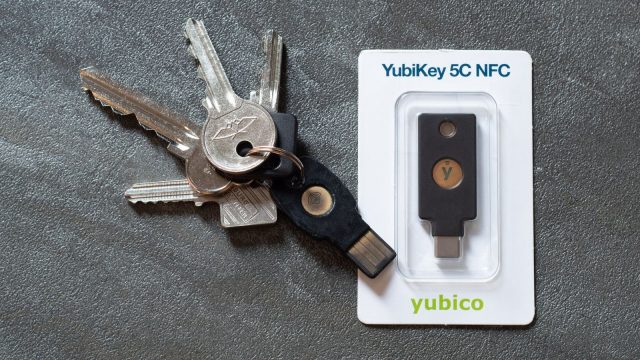
- Turn on two-factor authentication, preferably with an authenticator app or security key rather than SMS.
- Use a unique, strong password managed by a password manager.
- Check “Where you’re logged in” in Accounts Center and log out of unknown sessions.
- Enable login alerts.
2. Review who has access
Open the page’s access settings and list everyone with access. For each person ask: do they still need it, and do they need full control? Give editors, moderators and advertisers only the task access they need. Remove anyone who has left the team.
3. Keep two trusted full-control admins
If only one person has full control and their account is compromised, recovery becomes very difficult. Two trusted people, both with strong security, provide a safety net.
4. Use a business portfolio for organisations
For companies and media brands, managing pages and ad accounts through Meta’s business tools allows you to assign access by role, require two-factor authentication for everyone in the portfolio, and keep ownership with the organisation rather than an individual.
5. Recognise phishing
Meta will not ask you to log in through a link sent in Messenger, a page comment or an email from a random address to avoid “deletion”. Real notices appear in your account’s support or quality sections. When in doubt, close the message and open Facebook directly to check.
- Look at the sender: official notices don’t come from ordinary personal profiles or pages with names like “Meta Support Team 2026”.
- Check the address bar before logging in anywhere.
- Be suspicious of urgency: “within 24 hours” is a classic pressure tactic.
6. Protect your devices
- Keep the operating system, browser and apps updated.
- Don’t open unexpected attachments, especially archive or executable files claiming to be “briefs” or “contracts”.
- Avoid installing unknown browser extensions ; some steal session cookies, which can bypass passwords.
7. Keep recovery details current
Make sure each admin’s account has an up-to-date email and phone number, and that backup codes for two-factor authentication are stored safely offline.
If your page is compromised
- Secure your personal account first. Use Facebook’s official “hacked account” help flow to regain access and change your password.
- Check page access. If you still have access, remove unknown admins immediately.
- Revoke sessions and connected apps. Log out of all sessions and remove apps you don’t recognise.
- Check ad accounts and payment methods for unauthorised spending and contact your bank if needed.
- Inform your audience through other channels so they don’t trust messages posted by the attacker.
- Document everything: screenshots and dates help with support requests.
A 10-minute monthly routine
- Review page access and remove anyone who no longer needs it.
- Check active sessions for every admin.
- Confirm 2FA is still on for every admin.
- Remind the team about the latest phishing messages circulating.
Security is not a one-time task. But the steps above remove the easiest routes attackers rely on, and that is usually enough to make them move on to an easier target.
Sources and further reading: Meta Help Center articles on page access, two-factor authentication and hacked accounts; Meta business help resources on business portfolios.